Showing posts with label ipsec. Show all posts

Set up ipsec VPN with Strongswan on Ubuntu with PSK for roadwarrior use

This post shows how to setup an ipsec VPN connection in roadwarrior fashion. Roadwarrior mode is where you typically have a mobile device which has a dynamic address and you want to connect back to a VPN server. This post uses a simple pre shared key to establish the VPN connection using strongswan. This is much simpler than my past openswan approach which also relied on L2TP, Pluto etc. needing to be configured. Performance also seems to be better with VPN connections establishing much faster.

Windows L2TP IPsec VPN connection to Openswan Sever on Ubuntu

Previously I have setup Openswan on Linux to provide an L2TP IPsec VPN server to allow secure access to my LAN and to tunnel my internet traffic whilst using my Android phone on foreign Wi-Fi. The aim was to secure my internet session against packet sniffing and to provide security whilst using wireless networks with weak or no encryption. I also use a Windows XP netbook whilst travelling this is how I configured it to connect to the same Openswan server via an L2TP IPsec connection...

Configure iPhone iOS to use an IPSec VPN tunnel and resolve reconnect issues
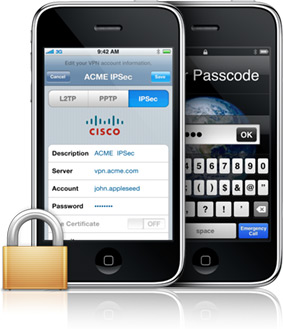
Following on from my post that walks through the set up of an Ubuntu based IPSec VPN server using Openswan and Android, I've now had the chance to also configure an iOS device to work with the same configuration. Read on to see how I configured the iOS 5.0 iPhone 3GS to work with my Openswan IPSec VPN...

Android IPSec PSK VPN - Nexus One with OpenSWAN

Looking to secure my internet traffic when on a public network and away from home I decided to set up a VPN between my phone and my Ubuntu server. This would allow all of my phone's traffic to be encrypted and tunneled through my Ubuntu server and home internet connection. Effectively this will make it difficult for people to listen to my traffic and in essence would offer additional security to my browsing and email when on a public network. My phone is an Android Google Nexus One; and unfortunately Android versions up to and including Gingerbread (2.3.4) do not support OpenVPN out of the box, unless you root your device. Read on to see how I set up my Android to Home IPSec VPN...