
Showing posts with label iOS. Show all posts
Showing posts with label iOS. Show all posts
AirPlay to Linux / Ubuntu with Shairport v1.0

AirPrint to any printer (without official AirPrint support) using Ubuntu and iOS

Setup the Apple AirPort Express v2 802.11n as an AirPlay bridge using the Windows AirPort Utility
The AirPort Express is a simplified and compact version of Apple's AirPort Extreme gateway,. it functions as a wireless access point when connected to an ethernet network. The current model includes AirPlay (successor of AirTunes), that allows users to stream audio from a computer running iTunes to a stereo
I purchased an Apple AirPort Express to expand my AirPlay / AirTunes network. The AirPort Express base station offers a couple of novel features which I was keen to explore, notably:
- Ability to extend an existing network
- Creating a guest wi-fi network, alongside an existing wi-fi network
- 3.5mm audio output to push music via AirPlay (formerly 'AirTunes') to external speakers/amp
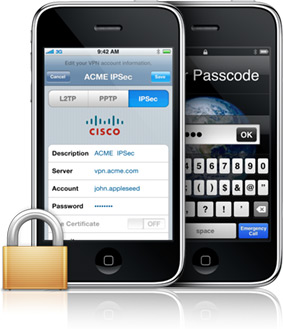
Configure iPhone iOS to use an IPSec VPN tunnel and resolve reconnect issues
iPad (1) Gmail setup - IMAP vs. Gmail

After setting up the iPad with iTunes, syncing and upgrading the next challenge was to setup Gmail. I ran the standard iPad mail account setup procedure, selected the built-in Gmail configuration option and followed the prompts which worked successfully. The success was short lived as I discovered that upon opening up the Gmail mailbox within the iPad mail client there was no 'delete' command, mail could only be 'archived'. Read on...
iOS AirPrint without a true AirPrint compatible device
Epson at the moment have no AirPrint enabled devices available and have taken the stance that they will not be retrospectively updating firmware for existing models to enable AirPrint support. I've only recently acquired several variants of the Epson SX600FW family which have been great to date, so being keen to maximise their potential I spent an hour or two 'enabling' AirPrint compatibility using an Ubuntu server to act as an AirPrint server. Read on...
iPad (1) Install, setup and frustrations with Windows XP SP3

My first foray into the world of owning an iPad was recently helping a relative to setup their newly purchased iPad 1. I have been contemplating picking up one for myself for several months and had been holding out for the Retina Display to arrive with the iPad 2... it looks like I'll be holding out (restraining myself) for another 18~ months with fingers crossed for iPad 3. Read on...
Subscribe to:
Posts (Atom)