Setup Virtual box 4.x.x with Windows XP and iTunes for Home sharing under Ubuntu


After experiencing intermittent success with iTunes under Wine since upgrading iTunes to 10.4.1; both from the perspective of iTunes working with Wine and also with Wine/iTunes worknig with Apple TV2 (ATV2). I've decided to bite the bullet and run iTunes within a virtual instance of Windows XP running on top of Ubuntu 10.04. I've tried this on both an Intel Atom based server (without native support for virtualisation) and with an AMD Neo server (with native virtualisation support). I've had good results on both set ups using Oracles free VirtualBox and Windows XP SP3, best of all it was rather simple - here's how...

Successfully kill and restart iTunes in Wine (Ubuntu & Apple TV 2 / ATV2)

I run iTunes under Wine on my Ubuntu server to share media to an Apple TV 2 using Home sharing. Since upgrading to iTunes 10.4.1 under Wine I've had regular issues with my Apple TV 2 no longer seeing the Ubuntu based iTunes Home share after a period of time. The easy way I've found to fix this is to kill iTunes in Wine and restart it is as follow a helpful script to achieve this follows...

Watch BBC iPlayer on your phone offline in 6 simple steps (Download streams)

Since BBC iPlayer app on Android only works on wifi and has no support for offline playback I was looking for another way to watch BBC content on my Android device. Previously I had used an Android app called MyPlayer which allowed me to watch BBC streams over 3G but the app has since been pulled at the BBC's request I believe. It's a shame their own app is so poor the future of TV is user driven on demand any time any where viewing and the BBC needs to keep up with this if they're going to compete in the Web2.0 digital age of streaming. If I'm on wifi it's likely that I have a TV nearby - the BBC is missing a huge audience with its wifi online only based app where it needs to be is 3G streaming or offline show shifting (with DRM if it must). Furthermore the lackluster quality of the Android flash feeds versus the Apple H.264 feeds from the BBC is another hot topic where as a license payer I feel hard done. Part of my solution to watch BBC content of the go offline is with get_iplayer read on...

Firefox "Apply Update" fails on Windows

Mozilla Firefox since version 6.0 (thru 6.0.1 to 6.0.2) has not been installing software updates properly for me on a Windows 7 machine via the usual 'Help > About Firefox > Apply Updates' command. Firefox always shows the 'Apply Update' button and fails to upgrade or check for new updates. Firefox does close and attempt to update eventually restarting without update occurring  and the only way I have found to update is to manually install the latest version over the top. However this manual workaround hasn't corrected the embedded Firefox update functionality. Read on for the solution that worked for me...

Set up an email alert for SSH connections (Ubuntu + Openssh + Sendemail)


Looking to monitor my SSH server and trigger an email alert for any SSH connections to my Ubuntu server I've pulled together a very basic script that will send an email when someone logs into an SSH server. Read on...

Configure iPhone iOS to use an IPSec VPN tunnel and resolve reconnect issues

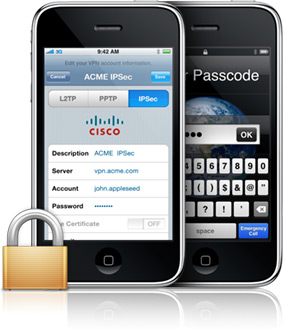
Following on from my post that walks through the set up of an Ubuntu based IPSec VPN server using Openswan and Android, I've now had the chance to also configure an iOS device to work with the same configuration. Read on to see how I configured the iOS 5.0 iPhone 3GS to work with my Openswan IPSec VPN...

Android IPSec PSK VPN - Nexus One with OpenSWAN

Looking to secure my internet traffic when on a public network and away from home I decided to set up a VPN between my phone and my Ubuntu server. This would allow all of my phone's traffic to be encrypted and tunneled through my Ubuntu server and home internet connection. Effectively this will make it difficult for people to listen to my traffic and in essence would offer additional security to my browsing and email when on a public network. My phone is an Android Google Nexus One; and unfortunately Android versions up to and including Gingerbread (2.3.4) do not support OpenVPN out of the box, unless you root your device. Read on to see how I set up my Android to Home IPSec VPN...

Ubuntu as an Apple Time machine capsule with Netatalk


I use my Ubuntu server for nearly everything, it'd be great if my Macs could back up to it too using the great built in Apple Time Machine functionality. TimeMachine relies on the AFP as the transfer protocol for backing up and transmitting data over the network. Netatalk is the Open Source implementation of AFP. Mac OS X requires encryption to work properly but the standard package of netatalk provided in the Ubuntu repositories doesn’t include this feature. So we have to build our own netatalk package from the sources with the encryption feature enabled. Read on...

Getting Proftpd working with TLS / SSL

ProFTPD grew out of the desire to have a secure and configurable FTP server that aims to offer the feature set required for more sophisticated FTP sites. Out of the box the FTP transactions are not secure, they are not encrypted at all. Seeking to encrypt my traffic I spent hours trying to get ProFTPD 1.3.2c (the version in Ubuntu 10.04's repositories) working with TLS. Only to find out there is a bug in ProFTPD 1.3.2c read on to see how I overcame the problem...

OpenDNS with ddclient to maintain Dynamic DNS


OpenDNS markets itself as the fastest growing internet security and DNS service. OpenDNS is the leading provider of security and infrastructure services that make the Internet safer through integrated Web content filtering, anti-phishing and DNS. OpenDNS services enable consumers and network administrators to secure their networks from online threats, reduce costs and enforce Internet-use policies. 


For OpenDNS to work the service needs to know which IP address your network resides on. If like me your internet service provider assigns you a dynamic IP address then you have to setup a dynamic updating service that keeps OpenDNS updated with your current IP address. This posts walks through the steps I used to set up ddclient (a linux dynamic dns updating tool) with OpenDNS. Read on...

Setting up a SQUID Proxy in 21 steps (made easy with Webmin!)

With the aim of managing bitorrenting on my network (i.e. preventing torrents) I opted to install a proxy server on a Ubuntu gateway server to control access to torrent sites for the clients on the network. This was a basic set up with a minimal Squid proxy server config in order to get up and running quickly, and to ultimately start preventing torrent usage. Squid is a caching proxy for the Web supporting HTTP, HTTPS, FTP, and more. It reduces bandwidth and improves response times by caching and reusing frequently-requested web pages. Squid has extensive access controls and makes a great server accelerator. Read on...

Read only EXT4 filesystem (Ubuntu) & pending hard drive failure


I've been experiencing woes with a Samba server recently with all sorts of gremlins around access, and write access specifically. After gutting the Samba config several times to the bare minimum I happened to notice that mysteriously the whole EXT4 file system partition on which the Samba shares resided had become mounted as read only. After a little investigating I think the culprit is a hard drive on its way out. Ironically the drive in question is a Seagate drive and the image I think is therefore, rather suited. Read on...

Windows XP and Samba "is not accessible. You might not have permission to use this network resource."


I've recently been struggling to access
 my Ubuntu Samba server from Windows XP clients experiencing intermittent success and at times receiving the message "is not accessible. You might not have permission to use this network resource." Reading through the Samba documentation it appears that the Encrypt Passwords parameter must be set when using Windows clients, read on for the solution...

Using fstab to mount your devices/drives at boot (HP Microserver build)


All files accessible in a *nix system are arranged in one big tree, the file hierarchy, rooted at /. These files can be spread out over several devices. The mount command serves to attach the file system found on some device to the big file tree. 

The configuration file /etc/fstab contains the necessary information to automate the process of mounting partitions. In a nutshell, mounting is the process where a raw (physical) partition is prepared for access and assigned a location on the file system tree (or mount point). Here's how to manually set up fstab to automatically mount your devices and partitions at boot:

Ubuntu simple firewall setup ufw with GUI (gufw)


The Linux kernel in Ubuntu provides a packet filtering system called netfilter, and the traditional interface for manipulating netfilter are the iptables suite of commands. iptables provide a complete firewall solution that is both highly configurable and highly flexible.

Becoming proficient in iptables takes time, and getting started with netfilter firewalling using only iptables can be a daunting task. As a result, many frontends for iptables have been created over the years, the Uncomplicated Firewall (ufw) is a command line based frontend for iptables and is particularly well-suited for host-based firewalls; gufw adds a graphical user interface to ufw. Here's how to setup Ubuntu's firewall with ufw and gufw: